
FeaturesProduct capability
Branches, staff roles, doctor hours and leave: how the owner sets them up
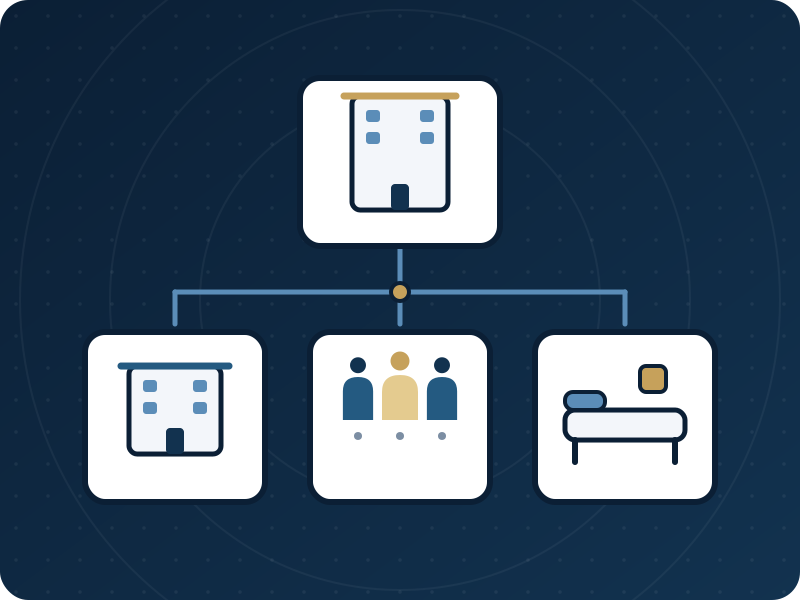
The owner adds branches, adds staff with a role (doctor, reception, cashier or assistant), sets each doctor's weekly hours and booking rules, and records leave. Whatever the setup, one doctor can never be booked for two patients at the same time, even when the clinic has several branches.
Who it serves and what it solves
An owner opening a second site
Add a branch with a name, address and phone. Today, appointments, the queue and reports can then be filtered by branch, and each appointment can carry its branch.
An owner who wants to delegate
Each role opens its own set of pages. The owner can give one person a custom list, decides who may prescribe, and switches off a leaver without losing their notes.
A clinic whose doctors work different hours
Each doctor has weekly hours, per branch if needed, and booking rules: how far apart the offered times are, preparation time, minimum notice and how far ahead patients may book.
A manager who tracks absence
Staff leave records who was away, the type, the dates and whether it was paid. A doctor's time away is a separate entry that stops booking for that period.
Who does what
- Reception
- Books against the doctors' hours, filters Today by branch and names the room on an appointment.
- Practitioner
- Opens their own schedule from the same place and keeps their hours and booking rules up to date.
- Cashier
- Records staff leave and sees it with the clinic's other records of people.
- Owner
- Adds branches and users, chooses roles and specialties, grants the right to prescribe, edits any doctor's schedule and switches the other tools on.
What the product does today
Branches: the owner adds a branch with name, address and phone, and can deactivate it and bring it back. With two or more branches, Today shows a branch filter and the appointment form a branch field.
Branches and servicesStaff and roles: add a user with an email, a role and an initial password of at least 8 characters; doctors also get a specialty. Roles are owner, doctor, reception, cashier and assistant, each with its usual pages. A custom page list replaces the usual one for a single person.
Add staff and set rolesDoctor schedules: weekly working hours, with a branch or all branches, and booking rules. A doctor can also list only the services they offer, each with its own duration and an optional price.
Doctor schedules: hours and booking rulesOne calendar per doctor, across branches. Two bookings for the same doctor at the same minute cannot both succeed: the second finds the time taken. A doctor marked away, or a room already named by another booking, produces a warning that the desk may book through; a double booking of one doctor is never allowed.
Leave: staff leave records leave, sick leave, vacation, absence or unpaid days with dates, paid or unpaid, and approve or reject. It is for attendance and pay and does not close booking; a doctor's time away is entered separately and does.
What a doctor's schedule decides
On the schedule page the owner (or the doctor) sets, per doctor:
- Working hours by day, from and to, for one branch or all branches. Two periods on the same day must not overlap, and nothing can be booked outside them.
- The step between offered times, in minutes.
- Preparation before and wrap-up after each visit, in minutes.
- The minimum notice before a visit and how many days ahead it can be booked.
- The last time a patient may cancel alone.
- The services this doctor offers, each with a duration and an optional price. If the price is left empty, the patient is told the clinic will say it.
Setting up and moving over
- A clinic in one place does not need a branch. Add branches only when the clinic works in more than one place. Multi-doctor clinics have the branches and staff leave tools from the start; other clinics switch them on in the clinic settings.
- Add people under Settings, Users. Each plan has a number of places for each role and only active users count, so deactivating someone who left frees their place.
- Choose each doctor's specialty so the visit form matches the practice, and set who may prescribe: choosing a specialty does not give that right.
- Open Hours and services from the More menu and set each doctor's hours and rules before you take bookings. A doctor with no in-person hours set is treated as available from 08:00 to 20:00.
- Enter a doctor's holiday under Doctor leave & time off (More, then Doctor schedules), not only in staff leave, so that booking stops for those days.
Limits worth knowing
- Which doctors work at which branch is stored for each doctor, but there is no settings screen to edit it yet. A branch chosen on an appointment narrows the doctor list only for doctors already linked to it.
- Rooms and chairs are names typed on an appointment. They are not resources with their own calendars, and equipment is not booked.
- There is no shift rota and no payroll calculation. Staff leave records days and whether they were paid.
- The roles are fixed. You can limit one person to a custom list of pages, but you cannot invent a new role.
Questions
Do I need branches if I have one clinic?
No. A single-location clinic does not need one. Add branches when the clinic works in more than one place.
Can a doctor work at two branches without being booked twice?
Booking is checked per doctor across all branches, not per branch. If two people try to book the same doctor at the same minute, one waits and then finds the time taken.
Does staff leave stop patients booking that doctor?
No. Staff leave is for attendance and pay. To stop booking for a doctor, enter the days under Doctor leave & time off. The desk is then warned and may still choose to book anyway.
Can I limit what one receptionist sees?
Yes. Open the person in the users list, choose Role & access, tick the pages they may open and save. The Today page and their own settings always remain.
What happens when someone leaves?
Deactivate them rather than deleting. They can no longer sign in, their open sessions close, their notes and prescriptions keep their name and their place is free for someone else. Give any tests that were waiting for a leaving doctor to another reviewer.
Price
Plans are annual. Prices are read from the same list that checkout uses.
Essential
499,000 IQD
/ year
Professional
699,000 IQD
/ year
Business
1,200,000 IQD
/ year
Enterprise
By agreement
Try it in your own practice
Create a free 14-day trial account with demonstration data, or ask for a demo. Do not enter real patient data during the trial.
Content last updated: 2026-10-24