
FeaturesProduct capability
Session packages: sell a course of sessions and let the system count them
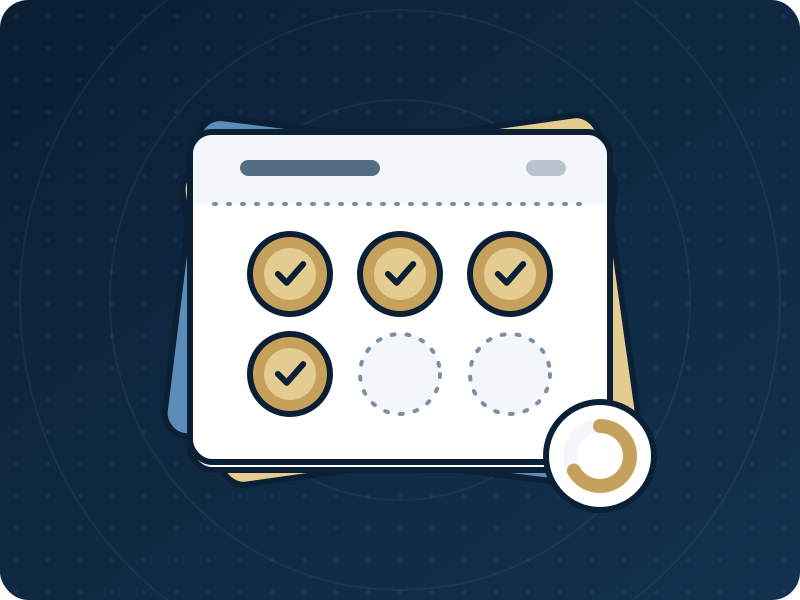
A session package is a fixed number of sessions of one service, sold to a client for a price the business sets. The client's file shows how many sessions are left and until when. A session is taken in the same step as the booking, so in an automated check on a real database, 20 bookings made at the same moment on a 3-session package produced exactly 3 appointments. A cancelled appointment gives its session back.
Create a free 14-day trial account with demonstration data, or ask for a demo. Do not enter real patient data during the trial.
Who it serves and what it solves
A business that sells courses of the same service
Six sessions of therapy, ten lessons, a course of treatments: the package holds the number, the desk no longer counts on paper, and the file always says how many remain.
A front desk that books the same client again and again
When the client has a usable package for the chosen service, the appointment form offers it. One choice takes the session; nobody has to remember to tick it off later.
An owner who sets the price and wants it to stay put
The owner types the price of each package. It is copied onto the sale, so changing the catalogue later never rewrites a package already sold or its invoice.
An owner who sometimes has to undo a sale
Voiding a package removes the unused sessions and cancels the invoice if nothing was paid. If money was paid, the invoice is left open and the owner is told to settle it by hand.
A realistic day
The catalogue: the owner
In Package settings the owner picks a service, the number of sessions, how many days the package stays valid (or leaves it empty for no expiry), the price, and, if wanted, a name.
The sale: the desk
On the client's file, under Packages, the desk picks a package and presses "Sell and create invoice". The package and its invoice are created together with the next number of the invoice series. A package priced at zero is sold without an invoice.
The booking
On the appointment form, once the client and the service are chosen, "Use a session from a package" lists the client's usable packages with the sessions left and the expiry date. The session is taken with the booking.
When a booking is refused
The form says why: no sessions left, the package has expired, the package expires before the appointment, it was voided, or it is for another service. In every case the booking is not saved and no session is lost.
A cancellation
Cancelling the appointment, marking it no-show or deleting it returns its session, once. A completed visit keeps the session. Reopening a cancelled appointment does not take a session again.
A visit that moves
Moving an appointment to a date after the package's expiry is refused. The expiry is compared with the date of the appointment, not only with today.
Voiding: the owner
The unused sessions are removed. Sessions already booked or used stay with their appointments. The screen then says whether the invoice was cancelled or left open.
Who does what
- Reception
- Sells packages from the client's file and picks the package when booking.
- Practitioner
- A doctor or other practitioner can sell a package from the file and sees the sessions left.
- Cashier
- Records the payment on the invoice that the sale created.
- Owner
- Builds the package catalogue and sets every price, and is the only one who can void a package.
What the product does today
A catalogue of packages: a service, from 1 to 500 sessions, an optional validity in days, a price typed by the business, and an optional name.
Sold packages on the client's file with the status (active, used up, expired, voided), the sessions left and the expiry date.
One atomic step takes the session when the appointment is booked, and a database rule returns it when the appointment is cancelled, marked no-show or deleted, whichever screen did it.
The sale creates its invoice in the same step, with the next number of the clinic's invoice series. Payments are then recorded on that invoice like any other.
Invoices and paymentsThe package picker sits on the ordinary appointment form, beside the provider, the service and the rooms.
Appointments at the front desk
What the owner sets for one package
Package settings, one row per package:
- Service: one from your list of services. A package covers that service only.
- Number of sessions: from 1 to 500.
- Valid for (days): counted from the sale, from 1 to 3650, or empty if the package does not expire.
- Price: typed by the owner. There is no default and nothing is suggested.
- Name (optional): in each language you use. Without one the package is called the service and the number of sessions.
Setting up and moving over
- The Packages module is on by default for Medical aesthetics clinic, Beauty and wellness and Appointment-based services. For another type, the owner can switch it on in the organisation settings.
- Add the service first, on the Services page. A package cannot be created without one.
- From More, the owner opens Packages and adds each package with its price. Only the owner edits the catalogue.
- Decide your rule for no-shows before you sell: today a no-show returns the session, and that is not a setting.
- Old course balances are not imported. For a course already paid for, add a package with the sessions that are left and a price of zero, which creates no invoice, and sell it to the client. In a clinic type the client is called a patient.
Limits worth knowing
- There is no online payment. The business records what it was paid, by hand, on the invoice.
- There are no gift vouchers, no memberships and no subscriptions.
- The public booking page has no package option. The desk applies a session when it books.
- A package belongs to one client and one service. It cannot be shared between clients or used for another service.
- A no-show returns the session. This is how the product works today and it is not a setting; it is the owner's decision whether it suits the business.
- Voiding is a decision of the business, and money is handled by hand. DrOnlineIQ pays nothing back and does not connect to a payment provider.
- No business has used packages in daily work yet. They have been verified with demonstration data on a real database.
Questions
What if two people book the last session at the same moment?
One booking succeeds and the other is refused with the reason "no sessions left", and nothing is half saved. In the automated check, 20 bookings made together on a 3-session package left exactly 3 appointments.
Does a no-show lose the session?
No. Marking an appointment no-show gives its session back, as cancelling does. A completed visit keeps the session. This rule is fixed today, so decide whether it suits you before you sell.
What happens when a package expires?
It shows as expired and cannot be booked. The date of the appointment counts: a package that expires before the appointment is refused even if it is still valid today.
Can I change a package's price after selling some?
Yes in the catalogue, but packages already sold keep the price they were sold at, and so do their invoices.
Can I refund a package?
You can void it, which removes the unused sessions. If nothing was paid on the invoice it is cancelled; if something was paid it stays open and you settle the money by hand. There is no automatic refund.
Can a client buy a package on the booking page?
No. The public booking page books single appointments and takes no payment. The desk sells the package and applies its sessions.
Price
Plans are annual. Prices are read from the same list that checkout uses.
Essential
499,000 IQD
/ year
Professional
699,000 IQD
/ year
Business
1,200,000 IQD
/ year
Enterprise
By agreement
Try it in your own practice
Create a free 14-day trial account with demonstration data, or ask for a demo. Do not enter real patient data during the trial.
Content last updated: 2026-10-24